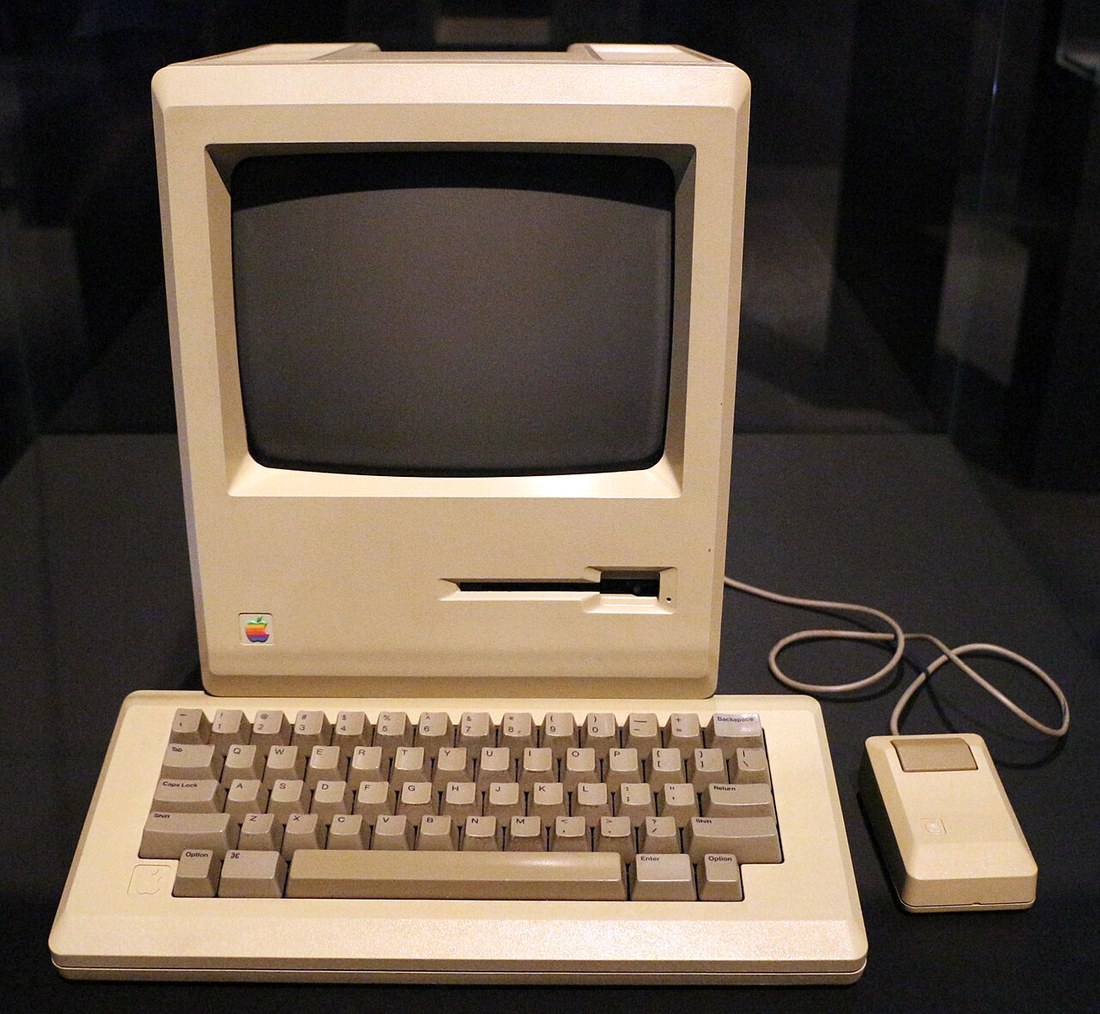
 MACINTOSH
Descripción
Todavía no hay descripción para este juego.
Carátulas (PAL / USA / JAP)

Capturas de pantalla
Sin capturas subidas todavía.
Mapas
Sin mapas subidos todavía.
Manual
Sin manual disponible todavía.
Trucos y secretos
ZX Spectrum
POKE SI + 4,32
Sinclair ZX Spectrum
use Caps shift and 5,6,7 and 8 to produce left down, up and right cursor movements respectively
ZX Spectrum
bending the springs on either side of the paper feed to tighten them solves the problem
Spectrum
backwards at a variety of pitches using the keys 1 - 9 on the Spectrum, A frequency chart can be plotted, or the sound can be looped with a progressively faster repeat, using pitch repeat
Sinclair Spectrum
BREAK DISABLE
SPECTRUM 90X
PRINT 65535-USR 7962
ZX Spectrum
retocar la línea 130 para que después de diciembre colocase el número 31 en vez del 30
Sinclair Spectrum
1. Abrimos el Spectrum, 2. Liberamos la placa. 3. Retiramos la carcasa. 4, Soldadura del Reset. 5, Prueba del teclado.
ZX Spectrum +2
En la dirección 32765, el Spectrum +2 sufre un bloqueo que no es tal. La pantalla y el área de edición se quedan completamente negras, pero el ordenador funciona en 48 K.
ZX Spectrum
si nuestro programa lee la variable «LAST K» en lugar de llamar a la función «INKEY$», podremos apretar la tecla en cualquier momento con la seguridad de que el programa recibirá nuestra orden
ZX Spectrum
Si, a continuación, introducimos una línea con el número 130, ésta se colocará antes de la línea 200. y no después de ia 100 como era de esperar.
ZX Spectrum
es ejecutar la sentencia RANDOMIZE
Spectrum
POKE 23570,10
Spectrum
9990 LET a=PEEK 23635+256*PEEK 23636
ZX Spectrum
Pokea las direcciones 23675 y 23676 con 4 y 91, después hacer un CLEAR al máximo de la RAM y, por último, crear nuestros gráficos normalmente con USR'A» o usar la dirección 23300 en vez de 32600 o 65368.
ZX Spectrum
PRINT AS(N), donde N habrá tomado el valor 1, equivale a imprimir la primera letra, después la segunda letra y así sucesivamente.
Truco
modificar la cabecera, que es donde viene especificado si tiene que haber autoejecución o no.
Spectrum
CLAVE DE REARME: GO TO x
Sinclair Spectrum
TRUE VIDEO e INVERSE VIDEO sirven para escribir en modo directo palabras inversas, es decir, intercambiar el papel y la tinta que el ordenador emplee en ese momento. True Video restituye la situación normal.
ZX Spectrum
Una manera de obtener las raíces tercera, cuarta, etc... es elevar el número cuya raíz queremos obtener, a la potencia inversa del Índice, es decir, supongamos que queremos averiguar la raíz cúbica (Índice = 3) de 10000 : escribiremos, por ejemplo PRINT 10000^(1/3) y en general, si el número es m y el Índice n, PRINT M^(1/N).
ZX Spectrum
manteniendo pulsado el botón de RESET, ya que la pantalla está en los primeros 16 K que son refrescados por la ULA
ZX Spectrum
imprimir y borrar la «X»
Sin especificar (implied Spectrum)
P, L, M, O, A y Z simultáneamente
Commodore 64
10 FOR n = 23296 TO 23301
20 READ a: POKE n,a
30 NEXT n
40 DATA 6.0,205,68,14,201
20 READ a: POKE n,a
30 NEXT n
40 DATA 6.0,205,68,14,201
ZX Spectrum
Para hacer mezclas de colores, tanto en el Spectrum Plus como en el 48K, no es necesario ningún lápiz óptico, ya que se puede hacer de forma muy sencilla y en Basic.
ZX Spectrum
CAPS SHIFT + 7 (u 8) durante un breve tiempo y luego soltar la tecla CAPS; al seguir pulsando 7 u 8 el cursor se moverá a lo largo de la línea como si todavía estuvieran pulsadas ambas teclas
ZX Spectrum 128
Con el cursor en modo gráfico, si pulsamos la tecla «V» el cursor se traslada a la última línea del listado Basic. Siempre en modo gráfico, si pulsamos la «X» colocaremos el cursor en el final de la línea. Para ir al principio de la línea de edición pulsando la tecla «Y» en modo gráfico. Pulsando la tecla «W» en modo gráfico, el cursor aparece en la primera línea del Basic.
Sin especificar
Para obtener figuras cuadradas, probar con «a» como: 7335, 4196,10125, 8499, 2378, 12074, 8927, 7072. 4032, 2535. 4351
ZX Spectrum
Si introducimos una línea con el número cinco, por ejemplo, y a continuación introducimos POKE (PEEK 23635 + 256 * PEEK 23636 + 1), 10, la linea con el número cinco pasará al número 10.
ZX Spectrum
Si introducimos un listado de diez líneas numéricas. de diez en diez, y, a continuación, introducimos (PEEK 23635 + 256 * PEEK 23636 + 1), 200, la primera línea se transformará en una línea 200 pero sin cambiar de lugar en el listado.
ZX Spectrum
Si, a continuación, introducimos una línea con el número 130, ésta se colocará antes de la línea 200. y no después de la 100 como era de esperar.
ZX Spectrum
Si empleamos el comando SAVE de la forma normal, esto es, SAVE «nombre de programa» y luego pulsamos ENTER. aparecerá el familiar mensaje START TAPE, THEN PRESS ANY KEY; Sin embargo, si pulsamos ahora simultáneamente CAPS SHIFT + 9.
ZX Spectrum
ejecutar la sentencia RANDOMIZE
Sinclair Spectrum
TRUE VIDEO e INVERSE VIDEO, que están en las teclas 3 y 4, respectivamente. True Video restituye la situación normal.
Commodore 64
Para regresar al Basic debemos colocar previamente todas las páginas de memoria como estaban antes, es decir: ROM3, página 3, página 2 y página 0.
ZX Spectrum
CAPS SHIFT + 2
Commodore 64 / Spectrum
PRINT tt n; «pepe»
Este PRINT, con valores de 0 o 1, nos permite escribir mensajes en las 2 últimas lineas, los lugares del INPUT. Cuando n = 2 nos escribe la palabra que está entre comillas arriba del todo, y si n = 3 no hace nada.
También podemos incluir la instrucción TAB; basta con poner:
PRINT » 1; TAB 10;«pepe»
y la palabra pepe estará desplazada 10 espacios.
Cuando escribamos algo en este lugar hemos de tener en cuenta que es donde aparecen los mensajes de la máquina, y nos puede borrar lo que hayamos escrito al aparecer el mensaje OK.
Este PRINT, con valores de 0 o 1, nos permite escribir mensajes en las 2 últimas lineas, los lugares del INPUT. Cuando n = 2 nos escribe la palabra que está entre comillas arriba del todo, y si n = 3 no hace nada.
También podemos incluir la instrucción TAB; basta con poner:
PRINT » 1; TAB 10;«pepe»
y la palabra pepe estará desplazada 10 espacios.
Cuando escribamos algo en este lugar hemos de tener en cuenta que es donde aparecen los mensajes de la máquina, y nos puede borrar lo que hayamos escrito al aparecer el mensaje OK.
Commodore 64 / Spectrum
Una manera de obtener las raíces tercera, cuarta, etc... es elevar el número cuya raíz queremos obtener, a la potencia inversa del Índice, es decir, supongamos que queremos averiguar la raíz cúbica (Índice = 3) de 10000 : escribiremos, por ejemplo PRINT 10000^(1/3). En general, si el número es m y el Índice n, PRINT M^(1/N).
Commodore 64 / Spectrum
POKE 23611, (PEEK 23611) 32
ZX Spectrum
Una curiosa manera de presentar textos en pantalla es lo que consigue el truco que nos envía Alex Conesa. Tras colorearse en toda, se vuelve negra poco a poco desde el ángulo superior izquierdo.
Spectrum
colocar al principio de la primera linea un codigo de control de color que obligue a que el listado salga con el tintal del mismo color que el papel
ZX Spectrum
OUT que afecta al BORDER. si Vd. se construyera una rutina en código máquina, en la cual no se efectuara esa operación, no se producirían las rayas de colores.
ZX Spectrum
POKE 1,3: NEXT f=53296 TO RERO: 20 PRINT USR 23296
Spectrum
Cambie la linea 20 por: 20 FOR n = 40001 TO 40003 : READ a : POKE n,a : NEXT n
Cargadores (POKEs y líneas BASIC)
LD HL,(15891)
POKE 3000,400Clear 64683
POKE 23676,254
POKE 23675,176LD A,R
Randomize USR 60.00
INTERCAMBIAR LÍNEAS EN EL CARGADOR DE CM
rutina en C/M que busca la matriz cargada, y le altera el código indentificador para convertirla de nuevo, en una variable normal de cadena
POKE 23675,0

RESTORE 9000

GO SUB 9000

GO TO 6000

1 LET jlt=0

LET POi=1

LET Jd=0

LET FIN=0

LET UF=8000

LET 8RIGHT l . A T f , 1 5 , " O H O H " , A T f + 1

ti=200

LET 10=0

LET 1 = 0

LET u=0

CLS

LET ai . ' W B C O E F '

LET 9=201U3

WENT n INK 0 , PAPER 4,AT 10 ,

S=230©

LET rip = 30 & 0

20UnfF U = 1 THEN>ÍtÍN Pin NT AT 16,7," ",AT 17.7," ",AT 19 RETURN

5 POKE 23656 , 0

10 LET h = 12 : LET V = l 4

LET av = 0

11 LET v1cv

LET hl = h

HGHOH<fHC

1002 GO e-uB pa

GO SUB 1100

1012 GO SUB 9£

IF V <> v1 OR h<>h THEN PRINT BRIGHT 1,BT v l , h l , " ";AT v , h , a t intaov1

ET hl = h LET «0V = »0V + 1

IF »0v » 2 THEN LET Itov =0

1020 XF IN KEY * s "p" OR IN 211 «1 T HEN LET n e 3 LET h=h + l

HEN LET n=S LET h=h - l

GO TO 10

1030 IF IN KEY » = "0" OR IN 211 = 2 T HEN LET n=S
MERCE ""
ON r GO TO 1 0 0 * r
manteniendo pulsado el botón de RESET, ya que la pantalla está en los primeros 16 K que son refrescados por la ULA
POKE 23561,0Código Máquina
POKE N,V-256*INT(V/256): POKE N+1,INT(V/256)POKE 57541,0 tiempo infinito
POKE 51789,0 vidas infinitas
POKE 57541,0 tiempo infinito
POKE 51794,0 vidas infinitasPRINT 23635+256 '2363610 FOR N = 60000 TO 60011: READ A: POKE N,A:NEXT N
20 DATA 33, BYTE BAJO DE A). BYTE ALTO DE A)
30 DATA 17, BYTE BAJO DE A)
20 DATA 33, BYTE BAJO DE A). BYTE ALTO DE A)
30 DATA 17, BYTE BAJO DE A)
RST 8
Poke 23570,16562 FFFFFFE7BFFF1FBFFFFF 2174
563 BFDFFFBFDFFF3FEFFF77 2014
564 F7FF77F3FFEFFFFF5FFF 2218
563 BFDFFFBFDFFF3FEFFF77 2014
564 F7FF77F3FFEFFFFF5FFF 2218
Alterando cualquiera de estas direcciones se observará que la RAM paginada ha cargado el nuevo valor sin que se pierda el microprocesador ni ocurra cualquier otro evento imprevisto.
salta de la 1160 a la 1200.sitúese al principio de la misma, pase a extendido y pulse "C. Shift" + "9"
SAVE «nombre» LINE 1
POKE 23621,LINE-256*INT(LINE/256)

POKE 23622,INT(LINE/256)

POKE 23623

POKE SIN USR
59 LET LIOUSR 65000
PRIN 65536-USR 7962
CAPS SHIFT + 9 + N
POKE 23659,24LET S » * " 128 FICHERO " 9000 30 REH icnu 35 POKE 23606 . 0 40 DIM b><20> PRINT ipii POKE RESTORE 41 FOR n = 7 TO 11 PRINT AT n , 5 , BRIGHT 1,1.» NEXT n 41 DIM b»(20) RIGHT l , b » PRINT AT t i , 5 ; BUna rutina para mejorar la capacidad gráfica del Spectrum.
POKE 2365,16:PRPER0:DER0:INK0:CLS:GC SUB 8000:BEEP .1,-5:10 LET re=0:LET rec=0:LET var=tecle:LET pan=5000:50 LET pun=0:LET pts=0:PRINT PAPER8,INK6,AT 18,12,"000000":PRPER8,INK4,AT 3,12,"000000":60 PRINT RT 3,18-LEN STR(rtCi):PRPER8,INK8,rcc:90 REM IHI...:92 REM rutina principal:95 LET barcos=21:100 FOR e=1 TO 3:LET pas=0:105 FOR n=1 TO barcos:PRINT PAPER8,INK3,AT 20,5+e,"O":BEEP .005,e+30:NEXT e:108 PRINT AT 18,19,"Zona":INVERSE 1,f,INVERSE 0," ":110 GO SUB pan-110>...:200 GO SUB var-(10*e):300 GO SUB (580-(1...:3S0 LET punc=pun+(25*i)*pas:...:330 LET barcos=pas:PRINT PAPER8,INK C,AT 20,5,...:Ciríaco OZQU1AGA ZARDOYA:...:FOR e=1 TO barcos PH:INK 3,RT 20,5+e,...:BEEP .001,e*30:NEXT n...:IF pas=0 THEN BEEP .05,0:GO TO 8500:350 RESTORE 9800:FOR d=0 TO 9:READ da:BEEP .01,da:...:400 NEXT r:NEXT d:450 GO TO 100:460 REM )(...:500 REM ras...:510 LET(.b1alb:LET Ct>>24:LET Cb>24:GO SUB 7030:520 FOR n=1 TO barcos:GO SUB 7080:...:530 IF cb=6 THEN BEEP .005,55:GO SUB 7010:LeT pas=pas+1...:GO SUB 7050:LET Cb=24:LET lb=INT<...:RNP«7»+10:...:GO TO 650:540 LET Z|IINK EY...:IF I u"2" THEN LET...:550 LET Cbl=Cb-lBRI \k
POKE 23692,-2BORDER 0 : OUER 1 : INT 10 LET a = INT (RND*176) : LET b=INT(RND*7) : 20 FOR n = a TO 175 STEP 4 : 30 PLOT n , n : 40 LET X = 255 - 2 * 0 : LET y = 175 - 2 * : 50 DRU INK b , 0 , y : DRU INK b ; -x ,0 : DRU INK b , 0 , -y : DRU INK bCARGADOR C M
POKE 23624,128* FLASH + 64 * BRIGHT + 8 * PAPER + INKcargar directamente desde casete los inolvidables juegos del Spectrum a través del puerto de serie del ordenador
por favor, ordenador, cárgame el...
POKE 23621,LINE-256*INT(LINE/256)POKE 23622,INT(LINE/256)POKE 23623Cargador Universal de CM
Chequeo de la memoria en el Spectrum
poke en la dirección de carga +79 con 201POKEADOR AUTOMÁTICO
10 CLEAR 4 9890 LET S«0 FOR N = 4-6697 TO 46969 RERD A POKE N,A LET S«S + A NEXT N
15 IF 6 <> 11246 TMEN PRINT "E RROR EN DATAS" STOP
20 RANDOMIZE USR 48900 PRINT "PARA UOLUER A LA NORMAL IDA D " ' " HACER PRINT USR 46697
30 DRTR 237 , 8 6 , 201 , 3 3 , 1 7 , 191 , 3 4,255,190,62,190,237,71,237
,94,201,245,56,59,92,203,11 I * f » e » I S » í X 7 Xr X V ' > J C I C ,SO.94,191,197,229,6,14,33,
80,191,197,62,14,144,1,253,
255,337,121,126,35,1,353,19
1,237,131,193,16,337,335,19
15 IF 6 <> 11246 TMEN PRINT "E RROR EN DATAS" STOP
20 RANDOMIZE USR 48900 PRINT "PARA UOLUER A LA NORMAL IDA D " ' " HACER PRINT USR 46697
30 DRTR 237 , 8 6 , 201 , 3 3 , 1 7 , 191 , 3 4,255,190,62,190,237,71,237
,94,201,245,56,59,92,203,11 I * f » e » I S » í X 7 Xr X V ' > J C I C ,SO.94,191,197,229,6,14,33,
80,191,197,62,14,144,1,253,
255,337,121,126,35,1,353,19
1,237,131,193,16,337,335,19
10 CLEAR 5e4
20 FOR N=6e4 TO 60011
30 READ a:POKE n,a
40 NEXTn
50 DATA 33,80.195,17,0.64,1,0,27,237, 176,201
60 LOAD "" CODE5e4
70 RANDOMIZE USR 6e4
80 PAUSE 0
20 FOR N=6e4 TO 60011
30 READ a:POKE n,a
40 NEXTn
50 DATA 33,80.195,17,0.64,1,0,27,237, 176,201
60 LOAD "" CODE5e4
70 RANDOMIZE USR 6e4
80 PAUSE 0
código máquina del Spectrum o del Amstrad
1 PAPER O BORDER 0 CLS IN K 7 POKE 23675 , 0 RESTORE 9000 GO SUB 9000 GO TO 6000
Rutina en C/M que busca la matriz cargada y altera el código indentificador para convertirlo de nuevo en una variable normal de cadena. Otra posibilidad es dimensionar la matriz antes de grabarla, trabajando con longitud fija.
15 LET a=VAL STR$ a
Pokea la variable del sistema UDG que contiene la dirección del primer gráfico definido por el usuario, con la dirección del buffer de la impresora más cuatro bytes. Seguidamente, copia todos los gráficos que hubiera habido en la dirección original de la UDG en un 16 K.
POKE 1,3desconectar físicamente el altavoz y colocar una resistencia de 40 ohmios
100 REM Comprueba tabla 110 LET c=A(n) 120 LET A(n)=n 130 RETURN
PRINT PEEK 23728Clear 64683POKE 23676,254POKE 23675,176El lector de flags permite usar la rutina de carga de bytes, ubicada a partir de #556 en la ROM del Spectrum, de una forma muy particular. El resultado de esta operación es la lectura del flag del bloque de bytes que nos interese. El contador de bytes permite conocer la longitud de un bloque de bytes.
1 POKE 23658 , 1 6 PRPER 0 BOR DER 0 INK 0 CLS GC S U B 8000
POKE (PEEK 23635 + 256*PEEK 23636)POKE 23606,0
POKE 23658,9
POKE 23617,x
POKE 23658,8
POKE 23658,0
POKE 23741,168
POKE 23742,16CLEAR 32431CLEAR 65199POKE 23675,176: POKE 23676,126POKE 23675,176: POKE 23676,254POKE 23675,88: POKE 23676,127POKE 23675,88: POKE 23676,255POKE 25653,182 Vidas infinitas
POKE 26746,0 No vidas extra
POKE 2666,234 Vida extra cada 1.000 puntos
POKE 26736,106 Velocidad
POKE 29573,X Repetición de disparos
POKE 60699,64 Enemigos inmortales
POKE 59217,24 Enemigos sin granadas
POKE 62317,201 No disparan
POKE 58096,24 Muchos enemigos
POKE 59190,X Radio de acción del disparo {normalmente 9}
POKE 59252,X Igual para granadas {normalmente 29}
POKE 59210,0 Permite matar a los de las trincheras a tiros
POKE 59213,0 Igual para el del puente
POKE 59833,201 Sólo se mueve un enemigo
POKE 25686,201 Quita el sonido
POKE 56981,24 Inmortal
POKE 27773,58 Granadas infinitas
POKE 57188,0 Evita la muerte por caer en una trinchera
POKE 58028,24 Evita ser atropellado por el jeep
POKE 58071,201 Igual con la moto
POKE 59319,24 Con los enemigos
POKE 62570,24 Disparos
POKE 62649,134 Granadas
POKE 57896,195 El jeep no dispara pero no muere
POKE 33700,201 No aparece eljepp
POKE 33899,0 No aparece la moto
POKE 34213,0 No aparece el camiónEXEC mdv1-dump
FORMAT "n";2 LOAD "n"
mi ni mapa
ERND
supercartucho para Interface II dejaba a disposición de los visitantes 15 juegos que, gracias a este soporte, se podían cargar en memoria de forma casi instantánea
dos interfaces de tarjetas Compact Flash conectados a un Plus 2e y un Plus 3e respectivamente, daban acceso a una amplia lista de títulos a través del menú zxcfgui
interceptar las llamadas a la rutina de carga de la ROM y sustituir la respuesta por el contenido de un fichero .tap
código encontrado en un papiro de una antigua abadía benedictina francesa y estaba fechado en plena edad media. El escrito había sido tomado durante siglos como un galimatías. Para gran sorpresa del viejo fraile lo había identificado como un programa que su Spectrum podía hacer funcionar
Sound Multicolour
rmrs711775OFFER
POKE 24925, aPoke 23728-9Page-in ROM 0, Disable interrupts, Save all register except IY and E, Call KPS CAN EDITOR ROM 118H
POKE 23725,1 : POKE 23729,2 :COPY, LIST, LPRINT
The Adam Adaptor enables you to double the Spectrum's memory to 32K by connecting your ZX 16K RAM pack.
POKE 25803, any number from 1 to 256 (poked as 0) / POKE 25797, any number corresponding to a charactor from 19-49SOFTKEY 24.24 key words inc. Peek, Poke, List, Save on your function keys
run the program before you test a machine-code subroutine or program, it will put the Spectrum Into interrupt mode two (IM2). In this mode the machine will not only perform an RST 56 instruction each time an interrupt occurs, but will also execute the short machine code program which will check whetherPOKE 23675,93Tape loader allows any 128 games to be loaded directly and in use with official 128 games there were no difficulties.
'A' for saved position, 'P' to analyse or set up board, 'PLAY', 'ANALYSE', 'LOAD' options, time limit keyed in as three digit number (e.g. 100 seconds)
the line number back to 1.
DISABLED
Poke 41,60 : Poke 41,18 : then Ctrl+Ret.Load/Save commandsVOKE DETAiLON
173 INPUT b$
175 PRINT AT ,12: B$
190 PRINT ST ^14-; b$
200 PRINT RT ^3.7; S*
S10 PRINT ftT ,27; b*
300 PRINT >-i,fW^rw^^^^L^w"
*00 NEXT y
500 INPUT "Df copy?" a$
510 Sr a$="n"
GO TO 5SC
520 C£J,oy vw^^^^^^^^^^n eo TO 150
175 PRINT AT ,12: B$
190 PRINT ST ^14-; b$
200 PRINT RT ^3.7; S*
S10 PRINT ftT ,27; b*
300 PRINT >-i,fW^rw^^^^L^w"
*00 NEXT y
500 INPUT "Df copy?" a$
510 Sr a$="n"
GO TO 5SC
520 C£J,oy vw^^^^^^^^^^n eo TO 150
jack-plug to jack-plug system is being developed for the Sinclair Spectrum computer
23750,16
Peek & Poke
16602, ipEiead of getting 191
disable the keyboard scanning routine, and do all reading of programs.
LD HL,22SS8; LD C,3; LD B,e; LD R,(HL); XOR 128; LD (HL),n; INC HL; DJNZ -7; DEC C; RET Z; LD R,C; CP 1; JR NZ -16; LD B,192
23658.8
Type in Start/Stop to the Spectrum, and QLtaper on to the QL and save Qtaper on Mdvl.
line 260 to:
AMX mouse now out on Spectrum
POKE 23728,10.5 - 0.5
PRINT P E E K 23635+256 * PEEK 23636

That w i l l g ive a value which i s usually 23755, the address of the start of the Basic program area. It will point to the first line of your program. Each line of a Basic program is different internally from that seen on the television screen. The first two bytes are the line number. For the line numbered 10 the first o f the two bytes w ill be 0 , the second 10. T o change the line number to 0, type; POKE 23755,0:POKE 23756,0

That will overwrite the line number already held and the line will appear as line O. It cannot be removed by editing or deleting. The only way to remove it is to PO KE a line number in the range I to 9999 to it and then remove in the normal way.
typing SPECTRUM in Plus 3 Basic
9950, then the usual SAVE " name " LINE
I. 1 have now added: 9980
PRINT 4 8 0 0 0 — (65536-
USR 7962) to the end of any
I. 1 have now added: 9980
PRINT 4 8 0 0 0 — (65536-
USR 7962) to the end of any
Poke 23659,0EA60 DD2A0B5C SETREG LD IX, (23563)
4K ZX-80 ROM to make an 8K ROM for the ZX-81
0 0 e r
POKE USR "D" + I,AAll th a t i s required i s a resistor and a piece o f wire.
POKE 255 into a display fileNUMBER = I NK +PAPER* 8 + B- RI GHT* 64+ FLASH•128
POKE 23609,99 (Enter)connect it to the same pin of the 6264 chip which is already on the board
Pt Will AR COMPUTINCi WEL KI N
wizard programming wheeze, that allows programmers to take advantage of a quirk in the 48K Spectrum's
direct the computer to the very top of memory. A relative jump instruction a t a d d re ss 65535 interacts with the -13 value at the start of the ROM (logically, the 'next' address) to send the pro- cessor to address 65524, where you can put a jump to anywhere you like. The whole trick uses just 12 bytes of RAM
Connect all the cathodes to the BRIGHT output from the computer (pin 3), and connect the loose ends of the resistors to the Green, Red and Blue outputs(pins 6,7 and 8). It doesn't matter which way round the resistors are connected, but it's vital to get the diodes the right way round
Connect the lead marked loadvar to the ear socket and the lead marked savemit to the mic socket of your tape deck.
CLEAR 64599POKE the resulting machine code into memory at the same time.POKE 23354,POtcEs, cheats, tip s.
Over • 800 MultiCe POKEs in alphabetical order for only E3
wrap the tape in the cartridges around the machine's innards
100POKE23296,243
110POKE23291201
120RANDOMIZEUSR23296
110POKE23291201
120RANDOMIZEUSR23296
RANDOMIZE USR 65120
POKE the data bytes into here from one pagePOKEd routine addresses in the Spectrum ROM. the system variable VECTOR with the address of the label START
1080 PRINT *"YOU c a n t a p the g h INK 2 ; ' 3 ; AT 7 , 2 ; ' B ; AT 8 , 2 ; "J
j u i s b e c a u s e " ".AT 10,2;"|S": BEEP .01,2: NEXT
i-390 PRINT " t h e y c a n t c r o s s y o u JT
r p a t h o r " IT520 FOR 2 = 5 TO 10. BEEP .01,2:1
1100 PRINT niano u v r e a r o u n d t h e INT RT 2 , 1 3 ; INK 2;"»
bou i d e r s " : O 3 0 NEXT 2
1110 PRINT "BEUflRE o f f a l l i n g 1 C 4 0 FOR 2 = 1 4 TO l b : BEEP .01,2
oou i d e r s ! f ! P R I N T AT 5 , 2 ; INK 2 ; "(6TF 1 ; AT 7 , 2
1120 PRINT E n t e r y o u r s k i l l l e IS"; AT S , 2 NEXT 2
J e l (1 TO 9) 1'J50 F O R 2 = 5 T O 10 BEEP .01,2:1
1130 LET S$=INKEY$ •'-:IN7 AT 2 , 1 9 ; INK 2 ; " S i ' : NEXT I
114-0 I F S $ = " " T H E N G O TO 1 1 3 0 1CSO LET JT=4
J 1 5 0 I F C O D E S $ > t > 7 O R CODE S $ < 4 3 i : 7 2 F O R Z = 2 0 T O 2 2 : BEEP . 0 1 , ZJ
T H E N GO T O 1 1 3 0 LET d t = d t +l : PRI N T AT d t , 2 ; iN|
1160 L E T S K=CODE S $ - 4 8 •--i . " 3 " • N E X T Z
1170 LET netJ-0 ;-_8t3 F O R Z TO 2 0 STEP - 1 : BE!
-L130 RETURN . 0 1 . 2 : LET d t = d t + l . P R I N T AT 1
1190 P R I N T RT z + 1 , Y - L ; INK 7 ; PR 1.2, INK 2 ; ' FE" : NEXT 2
J E R 4; " E " L - _ . 9 0 P R I N T AT 5 , 2 1 , INK 2 . "FC" ; FL|
1200 F O R 2 = S T O 1 0 : FOR <1=25 T O ^ , 2 2 ; " 6 , ' ; R T 9 , 2 2 ; " F " ; AT 10,21,
i STEP —l R N O *4- J — I
1210 BEEP . 1 , 2 : BEEP 1700 FOR 2 = 5 TO 8 : P R I N T AT 2 , 2
1220 NEXT q: NEXT Z INK 2 ; ' S - : NEXT 2
1230 LET 2 c o r e - s c o r e + 1 0 O 1713 P R I N T AT 10.27,"S"
1240 RETURN 1 7 2 0 FOR 2 = 2 0 TO 3 0 STEP RND*RNP
1250 PRINT RT z + l . y + l ; I N K 7; PH TLO + L : BEEP .01,2; BEEP . 0 1 , R N D |
:,ER 4-; " E " J.ND 15 : NEXT 2
1 2 6 0 FOR Z = 8 TO 10 F O R q =25 T O 1730 PRINT A T 1 5 , 5 ; " Y o u r s c o r e
1 STEP -RND*7+1 is " ; s c o r e : I F s c o r e > h s THEN PR!
1 2 7 0 BEEP .1.2: BEEP i , q <T " w h i c h i s t h e h i g h e s t t o da
J 2 3 0 NEXT Q: NEXT Z
1290 LEI SCORE=SCORE+100 1740 IF s c o r e > h s THEN LET h S = S |
1300
j u i s b e c a u s e " ".AT 10,2;"|S": BEEP .01,2: NEXT
i-390 PRINT " t h e y c a n t c r o s s y o u JT
r p a t h o r " IT520 FOR 2 = 5 TO 10. BEEP .01,2:1
1100 PRINT niano u v r e a r o u n d t h e INT RT 2 , 1 3 ; INK 2;"»
bou i d e r s " : O 3 0 NEXT 2
1110 PRINT "BEUflRE o f f a l l i n g 1 C 4 0 FOR 2 = 1 4 TO l b : BEEP .01,2
oou i d e r s ! f ! P R I N T AT 5 , 2 ; INK 2 ; "(6TF 1 ; AT 7 , 2
1120 PRINT E n t e r y o u r s k i l l l e IS"; AT S , 2 NEXT 2
J e l (1 TO 9) 1'J50 F O R 2 = 5 T O 10 BEEP .01,2:1
1130 LET S$=INKEY$ •'-:IN7 AT 2 , 1 9 ; INK 2 ; " S i ' : NEXT I
114-0 I F S $ = " " T H E N G O TO 1 1 3 0 1CSO LET JT=4
J 1 5 0 I F C O D E S $ > t > 7 O R CODE S $ < 4 3 i : 7 2 F O R Z = 2 0 T O 2 2 : BEEP . 0 1 , ZJ
T H E N GO T O 1 1 3 0 LET d t = d t +l : PRI N T AT d t , 2 ; iN|
1160 L E T S K=CODE S $ - 4 8 •--i . " 3 " • N E X T Z
1170 LET netJ-0 ;-_8t3 F O R Z TO 2 0 STEP - 1 : BE!
-L130 RETURN . 0 1 . 2 : LET d t = d t + l . P R I N T AT 1
1190 P R I N T RT z + 1 , Y - L ; INK 7 ; PR 1.2, INK 2 ; ' FE" : NEXT 2
J E R 4; " E " L - _ . 9 0 P R I N T AT 5 , 2 1 , INK 2 . "FC" ; FL|
1200 F O R 2 = S T O 1 0 : FOR <1=25 T O ^ , 2 2 ; " 6 , ' ; R T 9 , 2 2 ; " F " ; AT 10,21,
i STEP —l R N O *4- J — I
1210 BEEP . 1 , 2 : BEEP 1700 FOR 2 = 5 TO 8 : P R I N T AT 2 , 2
1220 NEXT q: NEXT Z INK 2 ; ' S - : NEXT 2
1230 LET 2 c o r e - s c o r e + 1 0 O 1713 P R I N T AT 10.27,"S"
1240 RETURN 1 7 2 0 FOR 2 = 2 0 TO 3 0 STEP RND*RNP
1250 PRINT RT z + l . y + l ; I N K 7; PH TLO + L : BEEP .01,2; BEEP . 0 1 , R N D |
:,ER 4-; " E " J.ND 15 : NEXT 2
1 2 6 0 FOR Z = 8 TO 10 F O R q =25 T O 1730 PRINT A T 1 5 , 5 ; " Y o u r s c o r e
1 STEP -RND*7+1 is " ; s c o r e : I F s c o r e > h s THEN PR!
1 2 7 0 BEEP .1.2: BEEP i , q <T " w h i c h i s t h e h i g h e s t t o da
J 2 3 0 NEXT Q: NEXT Z
1290 LEI SCORE=SCORE+100 1740 IF s c o r e > h s THEN LET h S = S |
1300
5 BORDER 4 GOSUE-7 CUERR 10 LET t=0: LET s=0: LET a $ 20 LET a$ 30 LET bi= 40 FOR f =14- TO 21 SPRINT INK 65 FOR h =0 TQ 2 PRINT INK 4-.RT H H H 80 NEXT h =•0 PRINT PftPER 0; INK 7; AT 6 . " SCORE ®* 1S0 PRINT HT D.0.: ~d=RND*S+5: LET' i =28 983
POKEing into machine code (address 3 2 4 7 7 ) to denote the height of the next building.
POKE 23607,123 (para 16K) / POKE 23607,250 (para 48K)FORMAT "P";1200
3606,0: POKE 2360-, 60: STOP
POKE 23673,255:POKE 23672,255Enter as a direct command: RANDOMIZE USR 32308
GO SUB 8000: IF Z$="y" THEN GO ,10: DRRU 1 , 0 : DRRU 0 , - 1 0 : DRRU 0,3: DRRU 4 , - 4 : DRRU - 4 , 4 : DRRU 0,1: DRRU 0 , 2 : DRRU 6 , 4 : LET X =X + 10. LET y = y + 4 : GO TO 1 0
LET y = y + 3 : G O T O 1 0
2 0 2 0 I Ffc.$ = " v " THEN DRRU - 8 , 0 : D RRU 1 6 , 0 : LET y = y + 6 : L E T x = X + 8 :
PLOT X,y: DRRU - 1 6 , 0 : DRRU 8 , 0 :
LET X = X - 8 : G O T O 1 0
£ 0 5 O I F K $="h " T H E N PLOT X - 4 , y - Q
I: DRRU - 2 , 0 : DRRU 7 , 0 , P I : DRRU
2,0: LET x = x + 2 1 : GO TO 1 0
o 0,-2: DRRU © , DRRU 2,0: PLOT x , y
. i.-O 1 O 2 0 1 5
a . J - 2 , 0 : PRfllJ a , 0,2: LET y = y +21. GO T O 1 0
0: DRflU 0,-2: DRRU 0,2: PLOT X , y
GO TO 2020
$: I N P U T " p o s o r G O S U B8000-
n e9 g f i r s t ^ ' - r f i r s t . , Z 4010 INPLT RT 0 , 0 ; " c a t h o d e (c) o first?";
(aJ GO SUB 6
DRAW 3.. O: DRAW -I6*S~ DRRU 5 1 4320 I F = RND k $ = " c " THEN D DRRU 0 , 6 : DRRU 0 , - 1 2 . DRRU 0 , 6 : D •* : DRRU 0 , 12 : DRRU - 7 , - 6 6 : DRRU 0 , - 6 : LET X=X+7:
4000 I F 2$ h *• RND = THEN r.
2120 I F k$="v" RND :t="NPA" THFW PRU 0 6 DRRU 3 , - 1 2 . DRRU 7 , 6 f-
LET y = y + 3 : G O T O 1 0
2 0 2 0 I Ffc.$ = " v " THEN DRRU - 8 , 0 : D RRU 1 6 , 0 : LET y = y + 6 : L E T x = X + 8 :
PLOT X,y: DRRU - 1 6 , 0 : DRRU 8 , 0 :
LET X = X - 8 : G O T O 1 0
£ 0 5 O I F K $="h " T H E N PLOT X - 4 , y - Q
I: DRRU - 2 , 0 : DRRU 7 , 0 , P I : DRRU
2,0: LET x = x + 2 1 : GO TO 1 0
o 0,-2: DRRU © , DRRU 2,0: PLOT x , y
. i.-O 1 O 2 0 1 5
a . J - 2 , 0 : PRfllJ a , 0,2: LET y = y +21. GO T O 1 0
0: DRflU 0,-2: DRRU 0,2: PLOT X , y
GO TO 2020
$: I N P U T " p o s o r G O S U B8000-
n e9 g f i r s t ^ ' - r f i r s t . , Z 4010 INPLT RT 0 , 0 ; " c a t h o d e (c) o first?";
(aJ GO SUB 6
DRAW 3.. O: DRAW -I6*S~ DRRU 5 1 4320 I F = RND k $ = " c " THEN D DRRU 0 , 6 : DRRU 0 , - 1 2 . DRRU 0 , 6 : D •* : DRRU 0 , 12 : DRRU - 7 , - 6 6 : DRRU 0 , - 6 : LET X=X+7:
4000 I F 2$ h *• RND = THEN r.
2120 I F k$="v" RND :t="NPA" THFW PRU 0 6 DRRU 3 , - 1 2 . DRRU 7 , 6 f-
General purpose program to load machine code into the Spectrum memory. Allows entry of hex or decimal codes, clears address minus 1, handles errors by re-running from error address without CLEAR.
'PRINTER?'
2790 LET m « ( 1 9 ) = , \ 3260 POKE USR a « + i , a
GOTO 9990
POKE the code back into memory simply change X in line 5 of the HEX LOADER to the start address of your code and run.MENU CHORD HEAR CHORD LET CS(10) X A D A C FH 62 71 9242 93030000 D SEVEN-15-10-0 INPUT TS 3000006000 IF TS="M" THEN RETURN 9320 LET CS<11)-"X A D A D F 63 IF TS«"A" THEN GO TO 5430 Ol 9242122730000 D MINOR-13-1O-O T*< >"H" THEN GO TO 5910 9330 LET CS < 1 2 > - *E B E GMB E 62 IF Z-2 OR Z«17 THEN PAUSE 41 9182 92130000 E MAJ0R-20-13-0 BEEP 1,VAL FS<40 TO 42>: BEE 8-04-01004" P 1,VAL FS(43 TO 45): BEEP 1,VAL 9340 LET CS(13)-"E B E GHD E 62 FS(46 TO 48): BEEP 1,VAL F»<49 41 9182 921312274E SEVEN-20-13-0 TO 51 ) 8-04002004" 6010 IF 2*9 OR 2-10 THEN PAUSE 9350 LET CS(14)-"E B E G B E 92 50: BEEP 1,VAL FS<40 TO 42): BEE 12 91830000 0000 E MIN0R-2O-13-0 P 1, VAL FS <43 TO 45): BEEP 1,VAL 8-05-01004" FS(46 TO 48): BEEP 1,VAL FS(49 9360 LET CS < 1 5 ) - " F C F A C F 61 TO 51): BEEP 1,VAL FS<52 TO 54) 5B 92421218312214F MAJOR-19-14-O 6020 IF Z< > 2 AND Z< > 17 AND Z<>9 7-03000003" AND Z O I O THEN PAUSE 50: BEEP 1 9370 LET CS<16)—"F C EbA C F 61 ,VAL FS(40 TO 42): BEEP 1,VAL FS <43 TO 45): BEEP 1,VAL FS<46 TO 9-03000005" 48): BEEP 1,VAL FS<49 TO 51): BE 9380 LET CS < 1 7 ) - " F C F AbC F 61 EP 1,VAL FS(52 TO 54): BEEP 1,VA 5B12182122130000 F MIN0R-07-0400 L FS <55 TO 57) 0005000000" 6030 GO TO 5910 9000 REM * DATA * 8212153123040000 G MAJOR-17-13-1 9050 RESTORE 9000 0-05-01007" 9100 FOR N=0 TO 7: READ A: POKE USR "A"*N,A: NEXT N Ol 9182121530000 G SEVEN-17-13-1 9120 DATA 64,64,72,84,100,72,80,
575 LET u-=u + l : a*="£G": LET y - 2 2 : LET u=0: GO TO 500
080 DATA 255,254,25 2,252,252,24
3,712,252
7 0 9 0 DATA 2 5 2 , 2 5 4 , 2 5 4 , 2 5 4 , 2 5 4 , 2 5
2,252,243
130 D A T A 0 , 0 , 2 4 , 2 4 , 3 , 2 4 , 3 , 2 0
110 DATA 136,34,0,89,24,130,40,
120 DATA 24 3 , 2 4 3 , 2 4 0 , 2 4 0 , 2 4 0 , 2 4
0.243,25 2
130 DATA 254,254,254,252,252,25
2 . -"52, 2 4 3
140 D A T A 2 4 3 , 2 4 8 , 2 5 2 , 2 5 2 , 2 5 2 , 2 5
4,254,254
150 D A T A 14 5 , 3 7 , 1 4 3 , 4 3 , 7 6 , 3 7 , 1 3
, 3 7
160 DATA 145,36,14 9,58,204,131,
32,101
170 DATA 1 4 5 , 3 6 , 1 4 9 , 9 3 , 2 1 6 , 3 6 , 8
2 , 2O0
180 D A T A 16,3,16,8,16,8,16,0
190 DATA 24 8 , 2 4 1 , 2 4 3 , 2 3 0 , 2 3 6 , 2 4
3,240,243
200 D A T A 0,0,192,227,255,255,25
5, 255
210 DATA 24,62,255,255,255,255,
255,255
220 DATA 24 8 , 2 5 2 , 2 5 2 , 2 5 2 , 2 5 2 , 2 4
3,243,240
3,712,252
7 0 9 0 DATA 2 5 2 , 2 5 4 , 2 5 4 , 2 5 4 , 2 5 4 , 2 5
2,252,243
130 D A T A 0 , 0 , 2 4 , 2 4 , 3 , 2 4 , 3 , 2 0
110 DATA 136,34,0,89,24,130,40,
120 DATA 24 3 , 2 4 3 , 2 4 0 , 2 4 0 , 2 4 0 , 2 4
0.243,25 2
130 DATA 254,254,254,252,252,25
2 . -"52, 2 4 3
140 D A T A 2 4 3 , 2 4 8 , 2 5 2 , 2 5 2 , 2 5 2 , 2 5
4,254,254
150 D A T A 14 5 , 3 7 , 1 4 3 , 4 3 , 7 6 , 3 7 , 1 3
, 3 7
160 DATA 145,36,14 9,58,204,131,
32,101
170 DATA 1 4 5 , 3 6 , 1 4 9 , 9 3 , 2 1 6 , 3 6 , 8
2 , 2O0
180 D A T A 16,3,16,8,16,8,16,0
190 DATA 24 8 , 2 4 1 , 2 4 3 , 2 3 0 , 2 3 6 , 2 4
3,240,243
200 D A T A 0,0,192,227,255,255,25
5, 255
210 DATA 24,62,255,255,255,255,
255,255
220 DATA 24 8 , 2 5 2 , 2 5 2 , 2 5 2 , 2 5 2 , 2 4
3,243,240
PRINT USR 8POKE the machine code into memory and then, by means of a USR statement, run the machine code itselfINPUT en cualquier parte de la pantalla (DEF SZ = 24)
Disponible en
Ficha técnica
| Año | 2021 |
Privacidad y cookies
Usamos almacenamiento local para recordar preferencias como el tema visual. Si se activa publicidad, Google puede usar cookies propias o de terceros con tu consentimiento. Más información
Cookies necesarias: funcionamiento básico. Preferencias: tema visual y decisión de consentimiento. Publicidad: cookies de Google y partners publicitarios si se habilitan anuncios.